

Ever wondered what to do with all those Tunesat entries? How do you find out which publisher, TV show or track performs best? Over the past years, I have come up with an easy solution and analyze my Tunesat reports in a fast way. Feel free to use my google sheet as a template, for free!
Download the sheet: https://bit.ly/Google-Sheets-Tunesat-Template
Please copy it to your own Google Drive. The first page is the help page. Please read through it and look through the whole sheet before starting to use it. It takes some time to get used to, but is a very powerful tool, once you feed it with enough data.
How it works:
Features include:
Instantly see your total number of placements
Instantly see what you earned so far
Top 10 Tracks
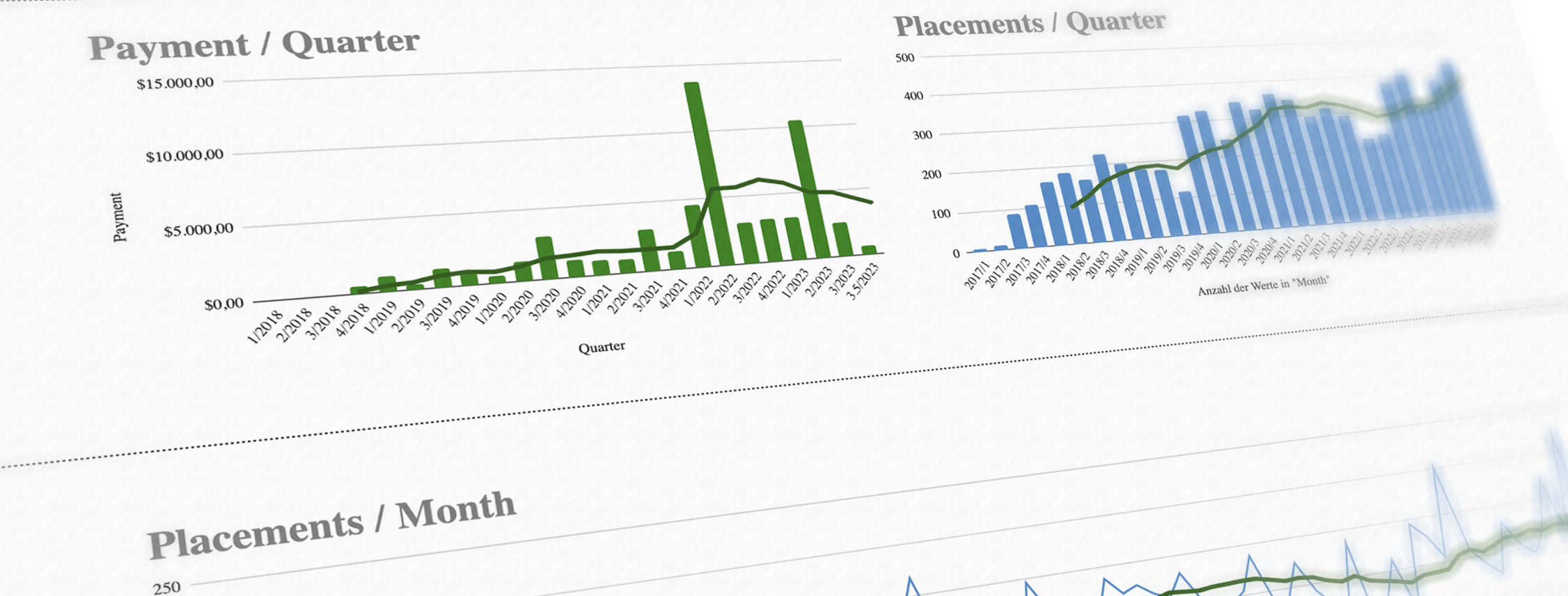
See how your payments progressed
See how your placements progressed per quarter
See how your placements progressed each month
Top Albums
See how each publisher performed over the years
See your top and lowest performing tracks, based on how often they placed in a certain amount of time, which allows comparing newer and older tracks.
See which tracks haven't been placed yet
Instantly see the placements for each track, as well as how the track performed over time
Why use this sheet?
Copy and paste data from your Tunesat page. The sheet and the scripts will do the rest! Everything is created with care and helps automate data formatting and display. There are roughly 250 lines of code handling the backend of the sheet, so you can focus on your music!
You need help or found a bug?
Reach out, I always like to help, but please read through the welcome page and watch the YouTube video first!